YOUCANIC USB Videoscope for UCAN-II Scanners, IP67 Waterproof Borescope Camera with LED Light and 4 Tips
Easy Returns
If you don't love it, return it within 31 days. No questions asked, no restocking fee.
Free US Shipping
Order by 2 PM Eastern on a business day and it ships the same day from Maryland. Free shipping on every US order.
Technicians On The Phone
Call 1-888-959-4265, Monday to Friday 9 AM to 4 PM Eastern. The people who answer use these scanners every week.
See Inside The Engine Before You Take It Apart
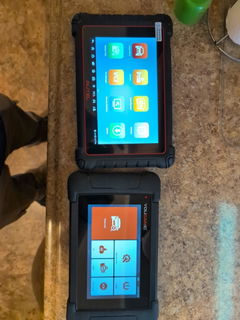
The YOUCANIC USB Videoscope is an IP67 waterproof inspection camera that plugs into your YOUCANIC UCAN-II scanner. Look down a spark plug hole, into a catalytic converter or behind a dash, record what you see, and email the photo to the customer from the same tablet.
Works with YOUCANIC UCAN-II scanners. The videoscope connects to the USB port on the UCAN-II Pro and earlier UCAN-II models and uses the scanner's built in videoscope app. It is not a standalone camera and does not include its own screen or battery. Not sure if your scanner has the port? Email support@youcanic.com with your model and we will confirm before you order.
What You Get
The Camera
- ✅ IP67 waterproof probe. Safe in coolant passages, drain lines and oily cavities.
- ✅ Adjustable LED lighting around the lens, so dark spaces show up bright and clear.
- ✅ Semi rigid gooseneck that holds its shape. Bend it around a corner and it stays there, leaving both hands free.
- ✅ Photo and video capture straight into the scanner. Save to the job, export to USB or email the file.
- ✅ USB powered. No batteries to charge and nothing to pair.
The Four Tips
- ✅ Camera tip for a straight ahead view of anything the probe can reach.
- ✅ Magnetic tip to pick up the bolt, nut or clip you just dropped into the engine bay.
- ✅ Hook tip to pull a wire, gasket or small part out of a recess your fingers cannot reach.
- ✅ Mirror tip for a side angle view inside pipes, behind panels and around corners.
Tips slide over the camera head and swap in seconds.
Quick Start
- Plug the USB connector into the USB port on your UCAN-II scanner.
- Open the videoscope app on the scanner. The live image appears on screen.
- Adjust the LED brightness for the space you are inspecting. Start low on shiny surfaces to avoid glare.
- Slide on the tip you need: camera for viewing, magnet or hook for retrieval, mirror for a side view.
- Tap the capture button for a photo or a video. Files save on the scanner and can be emailed or exported.
Two tips from owners
Turn off the scanner's battery saver mode in Settings while you use the camera. Otherwise the screen can dim and close the app mid inspection.
Wipe the lens with a clean cloth between uses. Oil and grime collect on the lip around the lens and will blur the picture.
What Mechanics Use It For
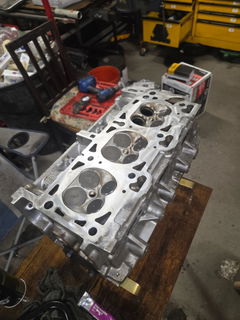
- • Cylinder walls and pistons. Pull a spark plug and look for scoring, carbon buildup and damaged piston crowns before deciding to pull the head.
- • Catalytic converter. Go in through the oxygen sensor port and check for a collapsed or melted substrate.
- • Intake and throttle body. Check for carbon, cracked boots and debris without disassembly.
- • Exhaust. Look inside mufflers and flex pipes for blockages and separation.
- • Brakes. Check pad thickness and rotor condition behind the wheel.
- • Dropped hardware. Find and retrieve fasteners in the engine bay, transmission tunnel or under the seats with the magnetic tip.
- • Behind the dash and door panels. Inspect harnesses, clips and connectors without full teardown.
- • HVAC box. Look at the evaporator and heater core for mold, debris and bent fins behind a musty smell or weak airflow.
- • Fuel and coolant lines. Trace lines for corrosion, chafing and leaks.
- • Before and after photos for the customer, straight from the scanner.
Around the shop and house too. If you own the scanner, the same camera looks inside walls, drain lines, ducts, gutters, behind appliances and down a chimney flue, and the magnet and hook retrieve keys and small parts from places you cannot reach.
Specifications
| Product | YOUCANIC USB Videoscope, borescope inspection camera |
| Compatibility | YOUCANIC UCAN-II Pro and earlier UCAN-II scanners with a USB port, using the scanner's videoscope app |
| Connection and power | USB, powered by the scanner, no batteries |
| Probe | Semi rigid gooseneck that holds its shape |
| Waterproof rating | IP67 probe and camera head |
| Lighting | Adjustable LED ring around the lens |
| Capture | Photo and video, saved on the scanner, email and USB export |
| Tips included | Camera, magnetic, hook, mirror |
| Returns | 31 day money back, no restocking fee |
| Shipping weight | 0.4 lb |
Frequently Asked Questions
Do I need a YOUCANIC scanner to use it?
Yes. The videoscope is built to plug into the USB port of a YOUCANIC UCAN-II scanner and uses the scanner's videoscope app for the live view and recording. It has no screen or battery of its own. If you want to use it with a different device, email support@youcanic.com before ordering.
Does it come with instructions?
The quick start above is the whole procedure: plug in, open the videoscope app, adjust the light, pick a tip, capture. If anything is unclear, call 1-888-959-4265 or email support and a technician will walk you through it.
Can I put it in water, coolant or oil?
The probe and camera head are rated IP67, so yes. Keep the USB connector end dry, and wipe the lens afterward.
Why did the picture get dark or the app close while I was using it?
The scanner's battery saver mode dims the screen and can close apps after a period without touch input. Turn it off in Settings while you inspect.
The image looks blurry. What should I check?
Nine times out of ten it is oil or grime on the lip around the lens. Wipe it with a clean, dry cloth. Also lower the LED brightness on shiny metal to cut glare.
Will the magnet pick up a dropped bolt?
Yes, that is what it is for. Bolts, nuts, clips and small steel parts. It will not lift aluminum or brass; use the hook tip for those.
What is the return policy?
31 days, full refund, no restocking fee. Ships free in the US from Baltimore, Maryland.
Have another question? Search the full YOUCANIC knowledge base:
Stop guessing. Start seeing.

Shipping information
Free US shipping on every order, no minimum, with tracking. Orders placed before 2 PM Eastern on a business day ship the same day from Maryland; most US orders arrive in 2 to 4 business days. Worldwide shipping is calculated by weight and destination and shown at checkout before you pay. See the shipping policy.
Returns and warranty
31 day returns, no questions asked. Open it and use it on your car first; if it is not right, send it back for a full refund within 24 hours of the return arriving. YOUCANIC scanners carry a 1 year warranty against defects, repaired or replaced in our Towson, Maryland shop with free shipping both ways inside the US, and software updates are free for life. See the returns page and the warranty page.