YOUCANIC UCAN-II Scanner Battery Replacement, Battery Only $25 or Mail In Service $40 With Free Return Shipping in the US
Easy Returns
If you don't love it, return it within 31 days. No questions, no stocking fees.
Scanner Battery Will Not Hold A Charge? Two Ways To Fix It, Both Cheap.
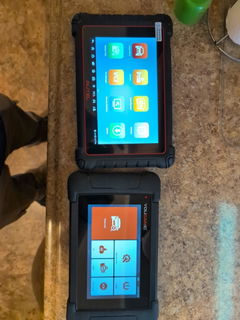
Every rechargeable battery wears out. When your YOUCANIC UCAN-II series scanner dies after a few minutes off the charger, or drains flat sitting in the drawer, the fix is a new battery, not a new scanner. Pick the battery alone and swap it yourself with the instructions in the box, or mail the tablet to our shop in Towson, Maryland and we do it, test it and ship it back free within the US.
Before You Buy: Try The Slow Charge
A scanner that will not turn on or will not charge is usually a deeply discharged battery, not a dead one. Plug it into a plain 5 V phone charger rated 500 mA to 1 A (not a fast charger), leave it off and charging for at least an hour, and watch for the LED at the top left to light. A powered USB port on a computer works too; give it two hours. Then try the power button. Many scanners that looked dead come back this way.
If it charges but dies quickly or drains while sitting unused, the battery is worn and this page is the fix. If your scanner is less than a year old, email support@youcanic.com with your order number before buying anything: a faulty battery inside the warranty period is replaced at no charge.
Two Ways To Do It
Battery only, $25
- ✅ We ship the replacement battery to you. Nothing to send us.
- ✅ Installation instructions are in the box.
- ✅ The right choice if you are comfortable opening a tablet and working carefully around small connectors.
- ✅ Choose "Battery Only" at checkout and put your scanner model in the order notes.
Mail in service, $40
- ✅ Includes the battery, the installation and return shipping to any US address.
- ✅ We test the scanner before it goes back.
- ✅ You pay the shipping to us. Outside the US, contact us before sending the unit.
- ✅ The right choice if you would rather not open the scanner yourself.
Mail In: How It Works
- Choose "Mail In Service" at checkout and put your scanner model and serial number (label on the back of the tablet) in the order notes.
- Pack the tablet with padding on every side and a note with your order number. Ship it tracked to YOUCANIC, 606 Baltimore Avenue, Suite 405, Towson, MD 21204.
- We install the new battery and test the scanner: charging, power and a full start.
- It ships back free within the US with tracking emailed to you.
Outside the US: email support@youcanic.com before shipping so we can confirm the return shipping cost, and mark the customs form "repair and return".
Make The Next Battery Last
- • Shut it down properly. Hold the power button for about 5 seconds and tap Power Off. A scanner left in standby in a toolbox drains in days.
- • Store it charged. Put it away at 70 percent or higher and top it up every few weeks if it sits. A lithium battery left flat for months is the one that never comes back.
- • Charge it gently. A plain 5 V, 1 A charger is all it wants. Skip the fast chargers.
- • Keep it out of the hot car. Heat ages a battery faster than use does.
What Is Included
| Fits | YOUCANIC UCAN-II series scanner tablets; give us your model and serial number in the order notes so we match the battery |
| Battery only, $25 | Replacement battery, shipping to you, installation instructions in the box |
| Mail in service, $40 | Battery, installation, testing and return shipping to a US address. You pay the shipping to us |
| Ship to | YOUCANIC, 606 Baltimore Avenue, Suite 405, Towson, MD 21204 |
| Under warranty | A faulty battery within the scanner's one year warranty is replaced free; email support@youcanic.com with your order number first |
| Support | 1-888-959-4265 or support@youcanic.com, Mon to Fri, 9 AM to 4 PM Eastern |
Frequently Asked Questions
How do I know the battery is the problem?
Three signs: it runs only a few minutes off the charger, it is flat every time you pick it up after a week in the drawer, or it only works while plugged in. A scanner that will not charge at all should get the slow charge described above first, because a deeply discharged battery often recovers.
Which scanners does this fit?
The YOUCANIC UCAN-II series tablets. Write your model (UCAN-II-A, UCAN-II-B, UCAN-II-C or UCAN-II Pro) and the serial number from the label on the back in the order notes. If anything about your unit means a different battery, we email you before shipping.
How hard is the do it yourself swap?
It is a tablet, so it means opening the housing and disconnecting a small battery connector. The instructions in the box walk through it. If you have never opened a tablet or a phone, the $15 difference for the mail in service is money well spent.
How long does the mail in service take?
Shipping time each way plus the queue when it arrives. We email when the scanner reaches us and again with tracking when it ships back. Call if you have a job waiting on it.
Will I lose my software or vehicle coverage?
No. The battery is a hardware part. Your scanner, its license and its updates are the same unit when the battery is new.
My scanner is less than a year old. Do I have to pay?
Probably not. Battery faults inside the one year warranty are replaced at no charge. Email support@youcanic.com with your order number and the symptoms before you order this service.
I am outside the US. Can I use the mail in service?
Contact us before sending the unit so we can confirm the return shipping cost and customs wording. The battery only option ships internationally subject to the carrier's rules for lithium batteries.
Have another question? Search the full YOUCANIC knowledge base:
Our Commitment To You
Shipping information
Use this text to share information about your product.
Returns & warranty
Use this text to share information about your product.